


Support · Troubleshooting
My reading looks wrong
Find the symptom, check the likely cause, do the fix. Nearly every odd reading comes down to power, settings, or where the sensor sits — and most people sort it out in a few minutes.
Start here
Five checks, two minutes
Do these while standing next to the tank with the app open. They clarify the common causes before you make any changes.
- 01
Check the sensor has power
Fuse, switch, and the connector at the sensor. No supply looks exactly like a frozen reading. The led on the sensor should light.
- 02
Stand next to the tank
Bluetooth is short range and will not cross a steel bulkhead or a packed locker. Get close before you judge what the app shows.
- 03
Correct settings?
Double check the tank settings in the app.
- 04
Re-run the calibration
Redo the calibration with the fluid level 150 mm below the top of the tank, with the boat or vehicle roughly level.
- 05
Change the level on purpose
Run a tap or add a few litres. A value that moves is a calibration question; a value that never moves is power or mounting.
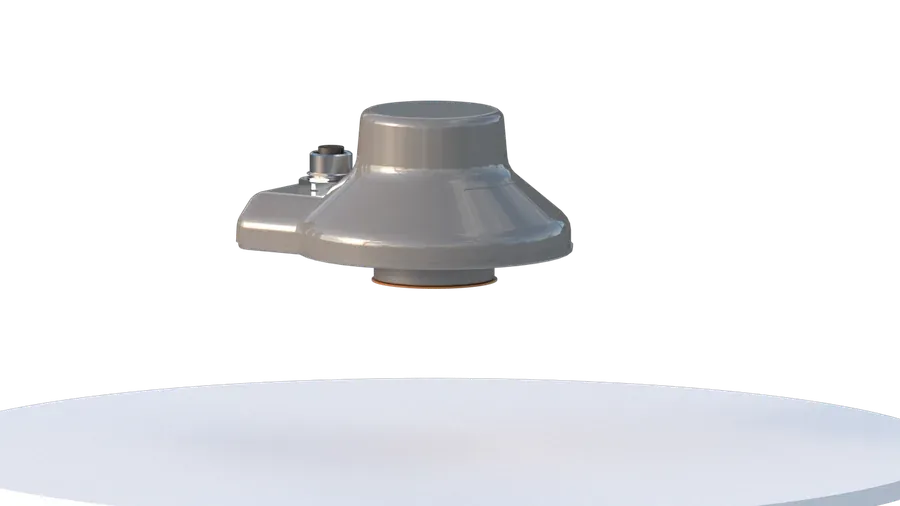
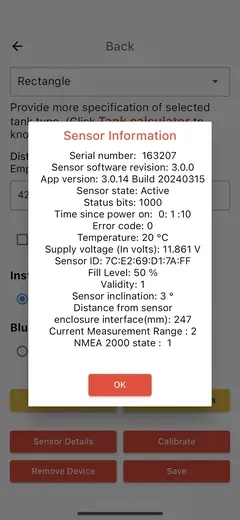
Not sure the fitting is right? Compare it with the installation guides before you change anything.
Quick diagnosis
Find the symptom
Start with the row that matches what you see.
| What you see | Likely cause | What to do |
|---|---|---|
| Reading never changes | ✕ No power, or the sensor has come loose | Check the fuse and the connector, then check the sensor is still firmly in place |
| Reads not empty when the tanks is empty | Is the tank depth correct in the app? | Check with the tank manufacturer, often the tank dimensions are showing for the outside, not inner dimensions. |
| Reading jumps around | Liquid moving under way, or a baffle right under the sensor | Read the level at rest and use the alarms while moving. Use also the Search function. |
| App will not connect | Out of range, Bluetooth permission, or no power at the sensor. The Bluetooth can be turned off? | Stand by the tank, then allow Bluetooth for the app. Please have look in your phone's Settings, Bluetooth list. |
| Connects, but no reading | Tank details missing, or the calibration was lost | Re-enter the tank and calibrate again. |
| No percentage on a Pro | Each Gobius Pro sensor is one fixed alarm point, not a stepless measuring | Working as designed — Gobius C is the one that reads 0–100 % |
| Stopped after other work on board | Supply disturbed: fuse, switch or a pulled connector | Re-check power, reseat the connector, then reopen the app |
Do it properly
The three fixes that solve most cases
Re-run the calibration
For Gobius Pro, calibrate when the tank is empty or full, and the boat or vehicle is roughly level. Gobius C, keep the sensor more than 150 mm from the liquid surface during calibration; otherwise, you may get inaccurate readings.
Clean the spot and re-fit
The mounting surface must be flat, clean, and dry—no stickers, paint flakes, sealant residue, or dust between the sensor and the tank. Anything in that gap will weaken the signal. Reinstall it exactly as shown in the installation guide.
Keep in mind that the temperature must be above 20°C when mounting the sensor. This recommendation is for all Gobius sensors.
Get the app connected
Stand by the tank, switch Bluetooth off and on, then allow Bluetooth for the Gobius app in your phone settings; some Android versions also ask for location. If a second phone connects, the fault is the first phone, not the sensor.
Reads well on one tank but not another? Material, wall thickness, ribs, baffles, insulation and a sloping or stepped bottom all change what a sensor can see — check limits & specifications.
Still stuck
Send us a support mail from the app
Get in touch if the reading is still wrong after re-calibrating and re-fitting, if there is no power at the connector, or if it worked for years and then changed on its own.
The quickest and best way is to send a support email from the Gobius app: open the sensor, go to Edit, Sensor Details, and send it from there.
Support is free (once your product is registered) every working day 9–17 CET, and you reach the people who build the sensors. For general questions about materials, accuracy and alarms, see the FAQ.
Sent ✓
Thanks — we usually reply within a few hours during support time.
Have this ready
Four things that let us answer properly on the first reply.
- 01
Product name and sensor color
Gobius C, Gobius Pro, or Gobius Original, and the sensor color.
- 02
Tank material and size
Polyethelene, fibreglass, stainless steel, steel or aluminium, rough dimensions, and what is in it. Tank wall thickness is also good for us to get.
- 03
A photo of the mounting
The most useful things you can send are one close-up of the sensor and one of the whole tank.
- 04
Shown versus actual
What the app shows, what you believe the real volume or level is, and whether it's always wrong or only sometimes.
Not registered? Register your product — it takes two minutes and makes support free.